Print agent
The print agent (agent.py) is a small program that runs on the computer with the printer and prints jobs from the OdbavTo server. It is useful when:
- you scan on a phone or tablet (WebUSB doesn't work there),
- the app runs in the cloud and the printer is on the venue's local network.
The agent connects to the server itself (WebSocket, or polling), so it works behind NAT and firewalls without opening any ports.
sequenceDiagram
    participant M as Phone (scanner)
    participant S as OdbavTo server
    participant A as Agent (PC at the entrance)
    participant T as Printer
    M->>S: scan QR code
    S->>A: print job (WebSocket)
    A->>T: print
A->>S: confirmationInstallation
On the PC with the printer you need Python 3.11+ and the agent.py file from the repository.
Depending on the system, also:
Configuration
- In the app, set the printer's backend to Agent.
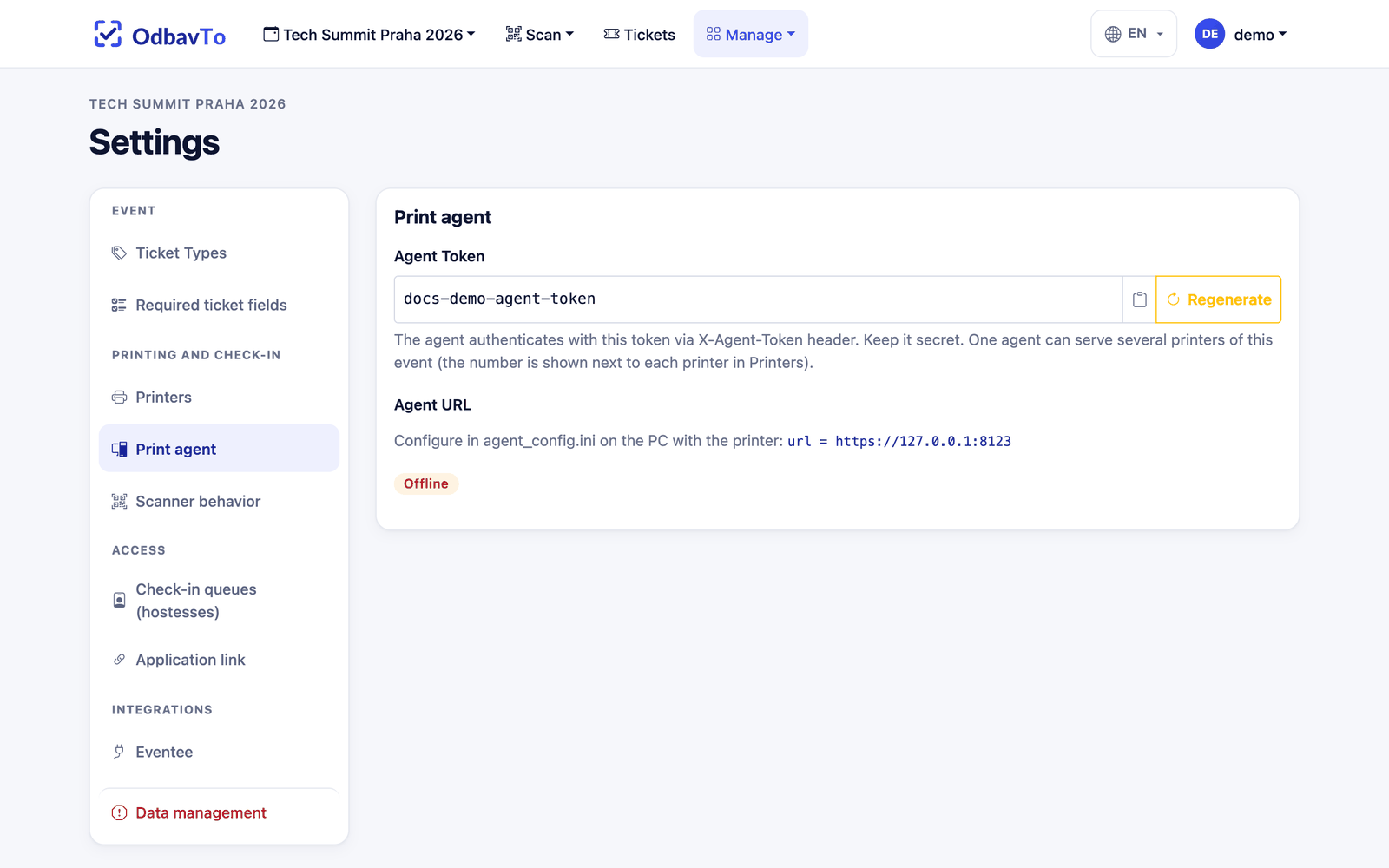
- In Settings → Printing and check-in → Print agent, copy the agent token.
- Find the event number in the address:
https://odbavto.example.com/events/12/…. - Next to
agent.py, createagent_config.ini(template inagent_config.ini.example):
[server]
url = https://odbavto.example.com
event_pk = 12
token = <agent-token>
; websocket (default) or polling
transport = websocket
; polling only, in seconds
poll_interval = 2

[printers]
; printer number in the event (#1, #2 ... from Settings) = system printer name
1 = TDP-225
2 = TDP-225 (2)
Find the system printer name with:
Running
Config values can be overridden on the command line:
The agent's connection status is shown in Settings → Printers and in the printer status in the scanner.
Behavior
- The default transport is WebSocket (jobs arrive instantly). After three failed connection attempts, the agent automatically falls back to polling (a request every 2 s).
- Jobs older than 5 minutes are not printed (
PENDING_JOB_MAX_AGE_SECONDS), so old badges don't print after an outage. - A job stuck in printing for more than 60 s is returned to the queue.
One agent per printer
Two agent instances with the same token for the same printer lead to double printing.
Leaked token
The agent token can be regenerated in Settings. The old token stops working immediately. Repeated attempts with a wrong token are blocked by the server (5 attempts per minute from one IP).